Erec Makes A Fire: A Children’s Book About Entrepreneurism

Erec Makes a Fire was successfully funded on Kickstarter! Thanks for all your support.

What is the book about?

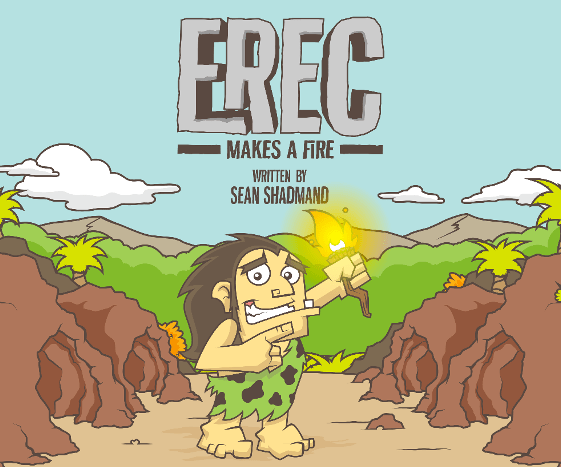
Erec Makes a Fire is a story of how a group of kids stumble upon a cave covered in ancient writings depicting the story of how a unique young cave boy (Erec) accidentally created his first great invention, fire. The story shows how, even in the simplest of times, one is able to form a business, sell a product, and create a success. The book is written to subtly embed one of the most fundamental parts of business in a child’s mind: leveraging an opportunity when finding demand in your community and providing a supply for it. Even before cash, computers, technology, LLC formation or business entities, business and entrepreneurs thrived through observation and invention,  and they still do so today. This story helps teach youngsters, and remind their parents, that entrepreneurism is all around us and to keep an eye out for one’s own personal “fire” opportunity.

Why did I write the book?

As a person who loves the world of entrepreneurism, I also love telling a story about how anyone can turn a will or idea into a business. I have enjoyed telling that story, and giving tips on how to do it best, for a number of years through various mediums such as interviews in print, in person, and on TV. Now that more and more of my close friends are having kids I want to share that passion and story through a form that their kids can benefit from. I noticed there wasn’t much out there in the world of children’s books that took business concepts and simplified them into stories kids could love, as well as learn from. So, what else was I to do as an entrepreneur but to fill that void. Erec Makes a Fire is the first in a hopeful series of books that builds a foundation of business mindedness in our children.

Beliefs that inspired

Two major beliefs of mine contributed greatly to the creation of this story: First, immersion is a great key to early developmental learning, and secondly, kids are extremely capable of learning and understanding complex concepts early on, especially when it is told through story and analogy.
In regards to immersion, I believe that even if a child does not understand a concept introduced to them directly, being surrounded by that concept will help them become more comfortable with the subject matter as they mature. This makes the principles taught far less foreign to them, and therefore more easily consumed when they grow up, as compared to those learning the same concepts for the first time later in life.

I also believe that children can grasp complex concepts, like supply and demand or finance, far earlier in their lives than is generally taught today. I have always been amazed at how kids pick up core concepts so deeply. Yet, adults at times “protect them” from complicated concepts for worry of it going over their heads. Supply and demand can have complexities within – yes, but the basics are – well – basic and building stories around those concepts can most definitely be consumed by children. Look how well they understand other stories we give them, like ones around “how to share”, a concept that I find many adults still struggling to grasp. I remember sitting with adults during dinners as a kid while they talked to one another about their businesses around me. Over time and many family diners a grew more familiar with many of the things they talked about while still being a child. Although I was unable to articulate my perspectives on the subjects at the time I mades notes to remind myself that one day, when I got older, I would remember this: kids get more than you think.

Stickers
Sticker Collection Available Through KickStarter

Erec Makes a Fire is a new kind of children’s book that immerses young people in concepts they should be given the chance to understand early in life so that they can have a foundation for understanding it more deeply as they grow up. As such the company under which the book is created is called “Small People. Big Ideas. LLC”

How and When Can I get it?

The first few copies will be made available as gifted items through a fundraising drive on KickStarter. I have my initial proofs and prototypes complete. Based on how much I can raise through KickStarter I am shooting to making it available by the spring of 2015. There will be special gifts given out through KickStarter in addition to the books themselves to make things more interesting, such as: signed copies; custom printed copies; packages including digital, print  version and stickers; as well as custom designs where our artist injects a characterization of your child  into a character in the book! Books will be made available through softcovers, hardcovers, and ebooks.

About Kick Starter:

KickStarter is a crowd funding platform that allows projects to get funded before they start. It is a great way to start a business or project and works perfectly with the Erec Makes A Fire book as the funds are only released if the book gets enough demand. The simplest way to think of KickStarter is this: think of those PBS drives on TV, the “If you pledge more than $50 you get this free tote bag” type of promotions. For a project like mine my gift will be an early copy of the book and other creative unique offers mentioned above that only funders will be able to receive. You can read more about KickStarter here: http://www.kickstarter.com/help/faq/kickstarter%20basics#Kick 

Erg: Erec's first customer as a Sticker
Erg: Erec’s first customer as a Sticker

Why Did you Spell “Erec” with an “e” instead of an “i” ?

The names of the book are witten with some historical significance in mind. Homo Erectus and Homo Ergaster are the scientific names for the two homonids believed to be around during the time period fire was discovered. So, the characters names in the book take each half of each of those names: Erec, and his friend Tus are the first two characters introduced. Followed by his first two customers Erg and Aster. Just in case though, we made sure Eric Makes a Fire works too 😉

Slides of Creative Process

Original Idea Draft
Original Idea Draft

Draft Rewrites
Draft Rewrites

Preliminary Sketches and Character Development

Backdrop Scene Development Sketches

Story Board Final Sketches

Final Sketches Converted to Digital

Final Layout Colored for Publishing
20130211-P1090359
Printed Proofed Books
Sticker (kids) Proofs

Get in to the cheering section and like us at http://www.facebook.com/ErecMakesaFire, and subscribe to email updates as we neat the big release here (http://signup.erecmakesafire.com)!
Google Hangouts Finally Work!

I have been trying Google Hangouts sporadically for the last … 6 months or so. Using it once a month to handle a group chat or video chat instead of my regular Skype, phone, or webex usage. It improved tremedously each month, but since in the first few months it wouldnt evenload correctlt thta wasnt saying much. By the time it finally started loading correctly for me it was dropping calls left and right and very choppy in the UI.

All that being said, it was a great day in the video conference world today: our team at Socialize used Hangouts for a group call and it worked flawlessly! Hooray, finally a group video chat system that actually works. Of course I am holding back a little bit since most video chat services are hit or miss, but I must admit that the steady growth of improvement on Google Hangouts is nice, and if it keeps up this trajectory it will be the goto for me and my team.


Some cool features that come with GHang:

1 – You can schedule a hangout on your calendar

2 – You can video chat with multiple poeple for free

3 – It comes with the standard “effects” sweet people know and love. We had a good time using the “applause” effect for each persons update, and the “gong” effect when the meeting was over.

4 – You can screen share to the group pretty easily

5 – You can pull in your Google Drive data into the chat. Which is nice for us since we use GDrive a lot. I haven’t tried it yet, but presentations in GDrive should integrate well…

Give Google Hangouts a shot, and let me know if it worked smoothly for you too, or if my glee is premature.


Chrome Tip: Multi-profiles and Offline Docs

You may have already used the Chrome incognito profile, but what you may not know about is the fact that chrome now allows you to create and use multiple profiles on your computer. While incognito us used to specfically ensure that no data is stored or tracked on your system based on the sites and pages you visit, profiles allow you to better manage the various ways those pages are stored either online or off. Here is how to use them.

Incognito Mode:

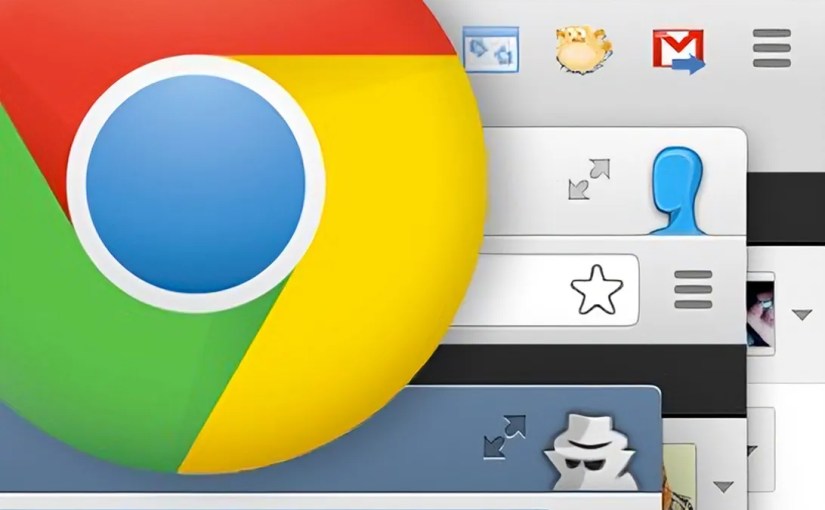
Incognito mode ( i.e. the mode with the browser icon as a sunglass and hat wearing fellow in this blog’s screen shot ) prevents pages you visit from being tracked, stored in history and clears all cookies from your session once the window is closed, no matter what the site you are visiting has set. There are many reasons why you may want to do this. The cite version: You and your girlfriend use the same computer and you don’t want her to know about the surprise earrings you have been shopping for her online. The not so cute version, well, let’s just say you can avoid getting in trouble like Jim Levenstein does in American Reunion. (BTW, that movie is not worth seeing even if to only get the joke)

To enable incognito mode go to the menu ( ) option in the top right corner of your Chrome browser and select “New Incognito Window” or press Command+Shift+N . Also note: Chrome in your app on your mobile device has the same options and works the same way.

Signing in to Chrome

Chrome can connect to your GMail account, and doing so allows you to do things like sync bookmarks between devices, as well as allow you to edit your Google Drive documents stored on the cloud even while you have no internet connection available. This tool came in handy recently when I came up with some ideas for a document I was working on while at a hotel that didn’t have wifi available. I simply made the changes needed and when internet resumed the doc was synced and merged to my online version of the doc. By signing in to your Google account on chrome a default profile for your computer ( i.e. the mode with the browser icon as a head with no face in this blog’s screen shot ) will be automatically assigned to you and connected to the account you signed in with.

To login to your Google account in Chrome go to the menu ( ) option in the top right corner of your Chrome browser and select “Sign In”. You will then be given the Google login page. Sign in as you would with your GMail account and you are all set.

Enabling Your Chrome Profile to Work on Docs Offline

If you haven’t used your Google Drive already you should really take a second to get to know it. Not only can you store 5GB of files of any type for free in your Google Drive AND use them as a local drive on your computer and phone just like Dropbox, BUT you can use it to create and save documents of various types that you can use to collaborate on simultaneous with other users.

To explain the latter more clearly through example: We use Google Docs at Socialize at all our meetings. During the meeting we create a google doc and throughout the meeting anyone can add, append, change or update the way the notes are taken all at the same time. You can see one another typing as you type and often times most of the meeting will be completed in silence while everyone adds their notes to the doc. Collaboration is saved and shared in a document instantly.

But I digress…

To enable your Google docs to have offline access first go to your Google Drive (http://drive.google.com). On the left hand menu select the “more” drop down to reveal extra options. Finally click “offline docs” and enable. Your drive will sync your docs to your local Chrome profile. Note: If you do not see the “Offline Docs” in the “more” dropdown, and you are using Google App for work, you will need to either enable the feature in your Google App’s Admin portal, or get your sysadmin to do it for you. It is located in the Google Drive sectionof the Admin’s “Settings” tab.

Multiple Chrome Profiles

You are probably just fine getting your Google Drive working on your default Chrome profile to work on offline docs, just as I was for quite some time. The problem is that when I tried to enable offline docs for my personal Google Drive documents, as well as my work docs, the Google Drive system did not allow it. Chrome only allows one offline sync per Chrome profile. To fix this problem you will need to create an additional Chrome Profile on your browser ( i.e. create a mode with a different browser icon like the one with the Ninja in this blog’s screen shot ), and then enable Offline Docs in your Google Drive while in the correct profile.

To add additional profiles to Chrome go to the menu ( ) option in the top right corner of your Chrome browser and select “Settings”. Scroll down to the “Users” section and choose “Add new user.” Once you have added a profile correctly your Users section should look something like this:

Switching Between Profiles

To switch between profile simply click the icon for your current profile in the top right of the browser and choose the profile you wish to use. Once selected, a new browser window will open with that profile enabled.