
After giving many kudos to Cursor, Codeium released their new IDE Windsurfer (Codeium’s response to Cursor) and quickly took the weekend to give it a try. At first glance, the basic functionality seemed quite similar to other coding assistants. However, as I delved deeper and challenged it with more complex tasks, the improvements became increasingly apparent.
AI/CD/CI: Go get a soda while it works
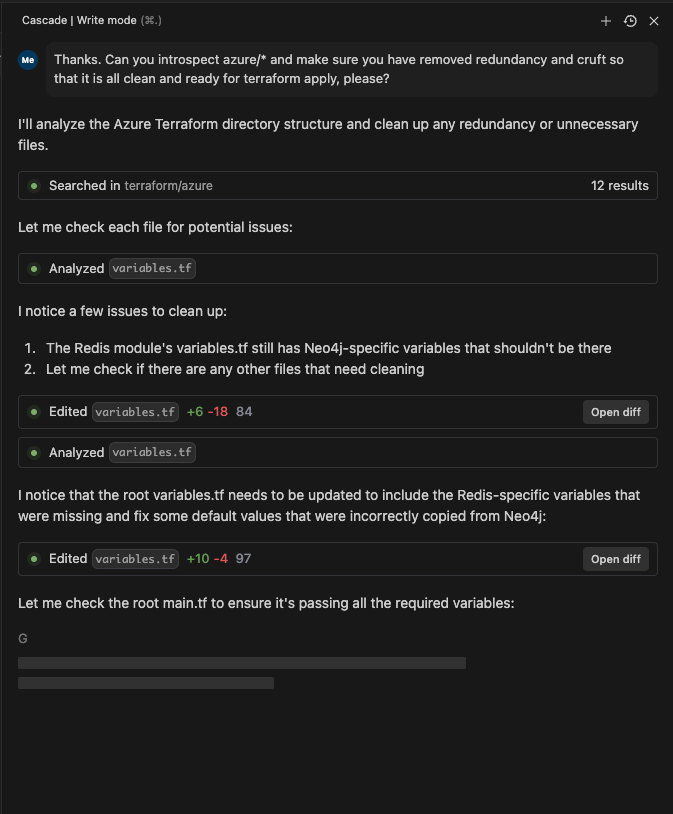
The biggest change between Windsurfs latest “Cascase” release vs the current SoTA IDEs is its ability to run a larger stack behind the scenes. It will query web, review your cide base for what is likey to matter, analyze its strategy, execute the strategy, and run shell scripts for you to iterate on outputs as it refines your code base. This can take a bit gettinguse to since it has moved a lot of work to behind the scenes, but once you give in and ensure you commit before you let it ride, it can be a big step forward.
Leveraging VS Code’s Open-Source Platform
Codeium has clearly taken a page from Cursor’s playbook by utilizing the open-source VS Code platform as a foundation. They’ve then enhanced it with their custom LLM, agents, RAG (Retrieval-Augmented Generation), and integration with Claude to create a more robust and efficient coding environment.

Intelligent Code Base Analysis
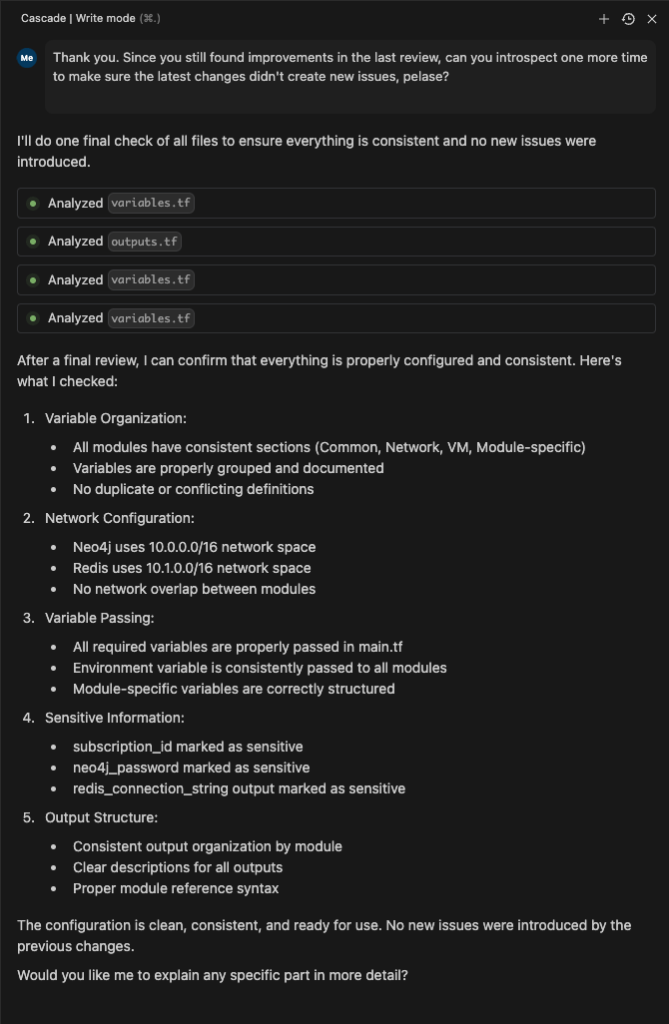
One of the standout features of Windsurfer is its ability to research the codebase without requiring manual file selection or a full codebase response. The tool uses the given prompt to scan for relevant files, conduct research on them, and then devise a plan that may involve multiple files and actions. These actions can include internal changes, file creation, deletion, diffs, or code modifications.
Hands-On Experience with Windsurfer
To truly appreciate the integrations and agent flows of Windsurfer, I embarked on a practical exercise. Here’s a breakdown of my experience:
- Creating a New Workspace: I started by setting up a fresh workspace in Windsurfer.
- Implementing Infrastructure as Code: I asked Windsurfer to implement an Azure or AWS Terraform script for deploying Redis.
- Iterative Improvements: As I applied the script and encountered issues, I prompted Windsurfer to fix them, including creating variables and addressing other problems.
- Collaborative Problem-Solving: I questioned Windsurfer about its mistakes and asked it to review the code, fix inefficiencies, and assist with deployment.
This experience was surprisingly enjoyable and felt like a blend of programming and DevOps. The usual frustrations and blockers associated with such tasks were notably reduced. It was as if I had a knowledgeable colleague working alongside me, interpreting my requirements and conducting the necessary analysis and research to implement them correctly.
Windsurfer represents a significant step forward in coding assistance tools. By building upon the strengths of VS Code and incorporating advanced AI capabilities, Codeium has created a powerful ally for developers. While it may share some similarities with other tools at a basic level, its true potential shines through in more complex scenarios.
As AI continues to evolve and integrate into our development processes, tools like Windsurfer are paving the way for a more efficient, collaborative, and enjoyable coding experience. Whether you’re a seasoned developer or just starting out, it’s worth giving Windsurfer a try to see how it can enhance your workflow and productivity.
 Sean Shadmand