Finally audio based commands and tagging that doesn't suck

QR Codes

I have kept an eye on QR codes for a few years now; it is a simple technology. Simple technologies win because – well, they just plain work. So many new technologies do a better job of adding complexities to solve a problem than they do to decrease them. I mean, as an example, the majority of the world still uses headphone jacks and earbuds to listen to their iPod, even though blue tooth is a great technology that removes the need to use those easily tangled cords. BUT those annoying tangled cords are still far more reliable and simpler to use than bluetooth. So we wait for the “simpler” technology to become – simpler. QR codes have the same M.O. They are simple and work, but they are also annoyingly primitive. For example, that QR code image you see on the left of this article means absolulty nothing to you visually. Yet I use it to take up space on the page, because it can provide value if you are willing to pull out your phone and take a snapshot of it.

The QR code works becuase it is a unique image that contains data within all its black and wite specks, like a data finger print or a bar code.  A device with an app that can read those specks convert the “fingerprint” into a equally unique URL that the app can then direct you too.

A more complex, yet more direct solution, is to have an image that is human readable, like and ad, act as the data rich finger print. That way a person can either take advantage of the precious realestate of the ad by siimply reading it, or taking a picture of the ad and get directed to the related URL. It looks like technolgies such as Google Goggles are on their way to crakingthat nut. For now however, Google Goggles is not more reliable or simpler to use then our ugly, cryptic; yet simple, and relaibale QR code.

Audio Commands and Tagging


The use of audio commands has had a problem finding its place as a “simpler” solution to the everyday problems they always claim to have solved, but as often fall short on expectations. I don’t know how many friends of mine have had voice-command car systems that in the end just dont work as reliably and effectively as turning a dial or pressing a button on their dash.

John’s car: “bee-eep. Can I help you?”

John in his car: “Call Sean”

John’s car: “Looking for Jons and bathrooms in the area.”

John: “Ugghhh! No , Call Sean!”

Car: “Bee-eep. Thank you. Calling Don now…”

John: :-[

Siri seems to be making voice commands better, or at least marketing it that way, but the dream of talking to our computers, as the easier way to interact with them, still seems as far away as it did here (See min 3:00 in 1984) http://www.youtube.com/watch?v=2B-XwPjn9YY


Okay, Siri and Google voice commands are doing better, and getting used more use than I have ever seen in the past with similar technologies, so that is promising…but yelling into your phone to “search for near by bars” in a crowded room is – well – shitty.

Shazam made some great leaps forward in the audio tagging and command space by finding the unique characteristics in songs, and turning that into pertinent data. That uniqueness is used so that the app can determine the song name, and its singer, just by holding up your phone to a song you hear on the radio.

This year, as some you may have already seen, Shazam has gotten into the QR related space by bringing their technology to TV comercials. When you see the Shazaam logo on a comercial open your Shazam app and let Shazam listen to the commercials unique audio. Their ability to link the unique “fingerprint” of sound coming form the commercials audio, and turn it into useful data allows them to link commercials to open a website on your device; much like a QR code. It is neat because the audio is as easily interpreted by human ears as it is by the Shazam app; maximizing the use of the allotted ad space. Unfortunately it falls short in the fact that it is impractical to expect a viewer to chase down their phone, open the Shazam app, and tag the comecials audio, before the comercial is over.

Audio Sync


I think I just saw a technology that actually make sense. Practical in its use, efficient in it implementation, and it solves a problem by decreasing complexity more then it adds.

In this case the audio is used to sync your tablet to a show you are watching. With this strategy you’re truly decreasing the steps needed to get what the show, and the viewer wants. No extra steps, no rushing for a unrelated app to open a web page, no ugly QR code images taking up space, just simply a way to help the user link the app their are using to the show they are watching.

It works by listening to the show you are watching, and applying the Shazaam like technology to the audio of the show to recognize what part of what show you are watching. The data is processed, and instead of just opening a web page, it sync your application’s experience to meta data surrounding the show on you TV. You can then interact with others watching the same moment at the same time, or listen to back stories related to the segment. Cool beans.


Finally audio based commands and tagging that doesn’t suck

QR Codes

I have kept an eye on QR codes for a few years now; it is a simple technology. Simple technologies win because – well, they just plain work. So many new technologies do a better job of adding complexities to solve a problem than they do to decrease them. I mean, as an example, the majority of the world still uses headphone jacks and earbuds to listen to their iPod, even though blue tooth is a great technology that removes the need to use those easily tangled cords. BUT those annoying tangled cords are still far more reliable and simpler to use than bluetooth. So we wait for the “simpler” technology to become – simpler. QR codes have the same M.O. They are simple and work, but they are also annoyingly primitive. For example, that QR code image you see on the left of this article means absolulty nothing to you visually. Yet I use it to take up space on the page, because it can provide value if you are willing to pull out your phone and take a snapshot of it.

The QR code works becuase it is a unique image that contains data within all its black and wite specks, like a data finger print or a bar code.  A device with an app that can read those specks convert the “fingerprint” into a equally unique URL that the app can then direct you too.

A more complex, yet more direct solution, is to have an image that is human readable, like and ad, act as the data rich finger print. That way a person can either take advantage of the precious realestate of the ad by siimply reading it, or taking a picture of the ad and get directed to the related URL. It looks like technolgies such as Google Goggles are on their way to crakingthat nut. For now however, Google Goggles is not more reliable or simpler to use then our ugly, cryptic; yet simple, and relaibale QR code.

Audio Commands and Tagging


The use of audio commands has had a problem finding its place as a “simpler” solution to the everyday problems they always claim to have solved, but as often fall short on expectations. I don’t know how many friends of mine have had voice-command car systems that in the end just dont work as reliably and effectively as turning a dial or pressing a button on their dash.

John’s car: “bee-eep. Can I help you?”

John in his car: “Call Sean”

John’s car: “Looking for Jons and bathrooms in the area.”

John: “Ugghhh! No , Call Sean!”

Car: “Bee-eep. Thank you. Calling Don now…”

John: :-[

Siri seems to be making voice commands better, or at least marketing it that way, but the dream of talking to our computers, as the easier way to interact with them, still seems as far away as it did here (See min 3:00 in 1984) http://www.youtube.com/watch?v=2B-XwPjn9YY


Okay, Siri and Google voice commands are doing better, and getting used more use than I have ever seen in the past with similar technologies, so that is promising…but yelling into your phone to “search for near by bars” in a crowded room is – well – shitty.

Shazam made some great leaps forward in the audio tagging and command space by finding the unique characteristics in songs, and turning that into pertinent data. That uniqueness is used so that the app can determine the song name, and its singer, just by holding up your phone to a song you hear on the radio.

This year, as some you may have already seen, Shazam has gotten into the QR related space by bringing their technology to TV comercials. When you see the Shazaam logo on a comercial open your Shazam app and let Shazam listen to the commercials unique audio. Their ability to link the unique “fingerprint” of sound coming form the commercials audio, and turn it into useful data allows them to link commercials to open a website on your device; much like a QR code. It is neat because the audio is as easily interpreted by human ears as it is by the Shazam app; maximizing the use of the allotted ad space. Unfortunately it falls short in the fact that it is impractical to expect a viewer to chase down their phone, open the Shazam app, and tag the comecials audio, before the comercial is over.

Audio Sync


I think I just saw a technology that actually make sense. Practical in its use, efficient in it implementation, and it solves a problem by decreasing complexity more then it adds.

In this case the audio is used to sync your tablet to a show you are watching. With this strategy you’re truly decreasing the steps needed to get what the show, and the viewer wants. No extra steps, no rushing for a unrelated app to open a web page, no ugly QR code images taking up space, just simply a way to help the user link the app their are using to the show they are watching.

It works by listening to the show you are watching, and applying the Shazaam like technology to the audio of the show to recognize what part of what show you are watching. The data is processed, and instead of just opening a web page, it sync your application’s experience to meta data surrounding the show on you TV. You can then interact with others watching the same moment at the same time, or listen to back stories related to the segment. Cool beans.


Use Case: Searching for PMF

Scan.me is great use case for focusing on the right customer, not just the right product.

AND that the product doesn’t *have to* be complicated or new to be wanted.

It just has to be easier to use, and packaged up better then the alternative.

http://techcrunch.com/2012/02/23/scan-gets-1-7m-from-google-ventures-and-shervin-pishevar-to-make-qr-codes-actually-useful/


Apple stores put their money where their mouth is

Ahhh the checkout line.

I know what I want, I found what I want in your store, AND I want to pay for it. So what do you do? You make me wait in line to give you my money! Man, that system is so archaic. Talk of “self checkout” has been around for a while, but I have seen very few instances of it in practice. Aside from the self checkout in the grocery store, that is still just a line in the end, checking out while picking up items in the store is not a part of our daily lives – yet.

So with all the rumors of our devices one day helping us checkout in our favorite stores, Apple finally made the decision to take the first step and offer self checkout on your iOS device at all Apple stores. Just download the newest version of the Apple Store App and buy til’ your hearts content, or your bank account runs dry, whichever comes first.

I have yet to use it myself, but am anxious to see how the company that is known for defining best practices around new concepts will implement their self checkout. I am also curious to see how they handle a jam packed store, with hundreds of very valuable items, mostly ranging in the $+1K range.


Facebook gets into the continuous scroll promo page game

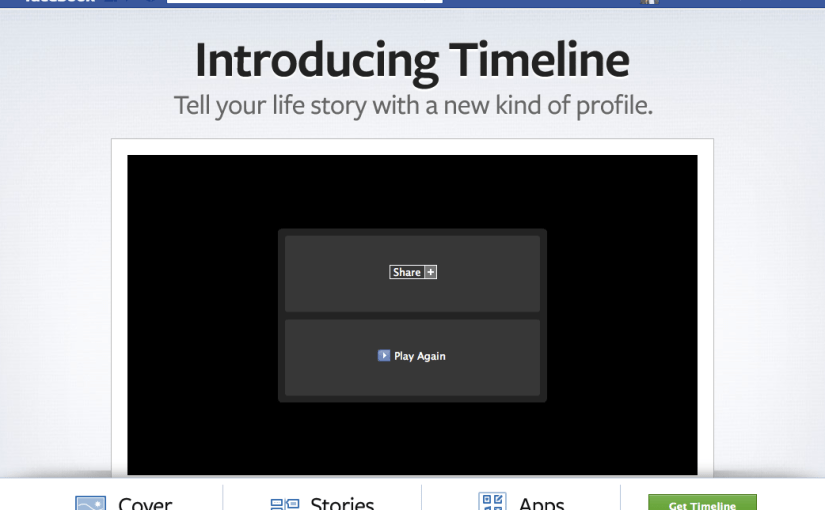
Facebook has embraced the continuous scrolling, animated-esque homepage style. Like I mentioned in my other posts about this style of website (animated scroll sites), the format reduced the closing doors effect that clicking around a site can create. You bring the user into a story and prevents the message from being broken up. The single stream of consciousness keep a user curious to see what comes next. Combine the scroll with the hit-the-bottom-to-load-more-content system the potential for great workflows is there. Im really liking these design patterns, and they keep getting better. I wouldn’t be surprised if this style of website becomes the standard in the next year.

https://www.facebook.com/about/timeline (2011-12-15)

You are introduced to the homepage with a video. A pretty good one at that.

Clicking a button on the bottom quickly scrolls to a new section, so whether you start by scrolling or you are more of a clickster you are taken cre of. And both actions quickly teach you how to interact with ethe site.

As you scroll, the section headers rise to the top and stay there. (much like the other sites I have blogged about, and possibly started form the ios table header design pattern). ALso becoming a standard is the button navigation animates to sync up with where you are scrolled to in the website.

Smart Car Makes Clever Website

I was oddly propelled to click on an ad today, brought to me by the makers of the Smart Car. It was a pretty, clean, well made site. I scrolled up and down to see if anything would catch my eye, and strangely enough something did.

Some time ago I made a post about the coolness of sites I see that take advantage of telling their story, not through pages navigated to by the standard point-and-click, but by animating the home page based on the amount of scroll a user applys to the site. (You can find the post on cool scrolling animated sites here )

Some people have done a poor job of creating well balanced sitethat not only tells a good story, but does in a animated way that tells the story better than it otherwise could be told. And done smooth enough that the coolness, or story, isn’t hindered by the latency and choppyness of the meium.

Well This smart car ad page did just that. And without futher adu, here are some screeen shots and the link to the smart car ad site (2011-12-4).

It begins with a simple page, that focuses all the users attention to the car, and its size.

As you begin scrolling the colors of the sites changes and the a different smart car is presented.

Notice the menu on the right site, letting you know where you are in the story. The white cricle tells you what part of the story you are currently in, and what is coming up next. Notice the blending from one “page” to the next as you scroll. Notice how you find you self scrolling more and more, and digest a few tid bits of knowladge thatyou would ohter wise not have gained behidn a barier of clicks. Well done. 🙂


The hardware won’t stop changing

When the iPhone first came about there were plenty of neh-sayers that rebeled against the native functionality on the phone and how it was destined to be doomed by more standard tech already in place on the web.

The problem when attempting to prophesize the future of new technologies is that many people forget that the technology they are predicting against is not a controlled variable. Not only will the technolgy advance that they forsee, but the technology they are basing their predictions on will change as well. That every changing system means you can never be too sure what the life time of a new product will be and how it will develop. The only good bet is: all parts of technology are ever advancing.

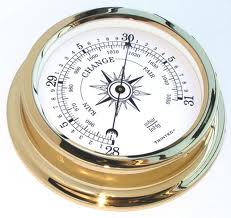
The mobie device epitomizes that fact. A fragmented distribution of lightweight, fairly inexpensive, devices that are constantly in use by its users and is getting completely revamped and bought up every year and by eager customers ready to upgrade. The manufactures will keep pumping more features into the device that go beyond  weight, and better screen resolution. And with form factor constraints relativley out the door, compared to their laptop and PC predecessors, native device functionality will always trump what the generic standard products will pump out. Of course RF functionalities ar making their way into our everyday life, and now Andoroids may be getting a barometer: http://gizmodo.com/5851288/why-the-barometer-is-androids-new-trump-card.

As these products evolve native apps will keep going strong.

That is a pretty freakin’ cool sphere!

This is pretty awesome… A real hovering ball that seems to defy gravity and do some other neat tricks too. Yeah, we have seen some cool hovering toys these last few years, but this little doozy goes well past just hovering. Not only does it hover, but it is able to jet  of in any direction lickity split, and its gyroscopes (along with its auto pilot mode) give it the ability to stay in hover state no matter how hard you try to push it down. Just when you think you got your bearing with this thing it shows off a few more tricks as it dives to the floor, rolls over better than your dog skip, andtake right back off again. It seems to master land and air, and is made by the Japan’s ministry of defense.

Are you seeing things? Instant super-imposed 3d objects on 2d pictures

See that picture to the left. It is a picture taken of a room with a billards table, can you tell what part of the picture is fake? We have all hard of super imposed by now (even the talking goat from Adam Sandler’s comedy cd in the 90s is now aware of the power of superimposing.) What makes this a breakthrough is that fact that the 3d objects (by the way, the balls on the table are the fake objects) were super imposed onto a flat, 2D picture. Even more interesting is that fact that those 3D objects can interact with the 2D objects in the picture, as if they were 3D them selves. Check the demo by Kevin Karsch (below) where you can see what I mean. Basically, you can take picture of a hall with stairs, and later add a 3D virtual ball to the picture, and in seconds watch the 3D ball bounce its way down the stairs case. Pretty B.A.

Braille 2.0

The iPad (tablets) is at it again. After all these years Stanford has uped the anti on what the bar is for acceptable braille reading and writing devices. The tablet system shown here calibrates through a swipe and audio queues, and sets the type pad to where ever the users fingers lie. (This solves the problem with the lack of tactile response the flat screen of an iPad provides. In essence, as descried in the video, the input points find the users fingers, not the other way around.)