Team City Monitor (with coverage history) for GAE

Per my last post about the splendor of GAE, below is one example of a tool I built for us at Socialize to keep an eye on code coverage and lets the group know if a build is broken (if our tests have failed.) This script is built to run on Google AppEngine, checks against a TeamCity Server install, and expects that each project in team city has code coverage outputted to its artifacts folder.

What is C.I. Server and why is it important?

C.I. stand for Continuous Integration, and is a system used to constantly/”continuously” checks to see if a code base is “working” or not. Team City (by JetBrains) is a product made for that process. Usually it is used to run tests against a code base to make sure it is working as expected, as a part of the QA life cycle. These tests are made up of “unit tests” that are created by the developers whom write code to test the code they are writing. It can be a bit odd for those that have not ever done so, but it is quite important when trying to deliver stable code. In short, and in its simplest form, this whole system makes sure new code/changes doesn’t break old code already in place. You can read more about these processes and purposes here: Unit Testing & Integration Testing.

What is code coverage, and why is it important?

Code coverage examines how much of your code is being tested. For instance, you may have a C.I. system in place, and a unit test frame work running within it, but if the tests only test/”cover” 1% of all of the code you aren’t really delivering a level of confidence you should be. In this tool we track the coverage percentage over time. Seeing it as a graph helps recognize dips in coverage easily.


Download Team City Monitor for GAE


Or fork and contribute on GitHub

Leave the caves and create your tools!

GAE offers a free to get started approach, along with an instant “hello word” initial environment, making sandboxing ideas and building helpful tools for productivuty a snap.

To get started, download GAE, press the plus sign in the bottom left corner. Set the directory you would like to work out of and your almost done. Well, at least you are already at the stage you need to be to start playing with the system locally, in what we call the development environment (No one can see your system but you.) Just hit the [play] button on the GAE dashboard and you are running with your first environment. Just click the Browser (the compass looking thing), or go to http://localhost:8080 in your browser, and you should see your first “hello word“! It is quite reassuring to see it work so smoothly (if indeed it does), and if this is the first time you have coded, trust me they have taken out a hell of allot of pain out of the tedium it can take to get here.

Without getting into the nitty gritty of code just yet, let’s push your baby to production (That means make it live/accessible to the world). That’s right, you are about to push a web application live to production!  First create a new app at the google app engine home page and follow the steps there (setting up your yaml for upload). Your yaml file tells google which app your are updating when you do so. Not making sure your yaml matches your project is like  you sending mail through the USPS without out a “from”/”to” address.

Once complete, press the blue arrow pointing upward (the “deploy” button) and it will deploy (AKA: push to prod, go live.)

Once deployed, you can update, monitor, or even share you application with the world. And all for free. Not that this baby would get allot of attention in its current state (just a “hello world”), but if it did, it would also be scalable. I mean 10 years ago this would have cost you quite a bit of time money, especially if you didnt know allot about server configurations, apache, linux, or windows server, or…well you get the idea.

There are a few sample apps you can play with on the GAE site. If you are ready, start developing some code i Python. Maybe had a hellow world message of your own.

When you start feeling saucy, try and create a model. A model is a data structure you can save, or persist, data to your system. Again to you newbies out there, this is the equivelent of your granfather telling you, “back in my day I had to walk up a hill in the snow to get to work, and up a hill in a blizzard to get back.” Setting up a database on a production server was a skill on its own, but to create one that is scalable, and without the need to architect it is amazing. You see, based on the models you create GAE intuitivley creates your “database”, stores it efficiently, and assumes where indexes need to be placed. You really don’t have to understand any of this, but if you want to you can look up those terms have at it: indexing, database, architecture, MVC…. Like I said, I’m just an old guy complaining about hills.

If you are still a bit timid about getting started, don’t worry there is a baby step in between these tween sized steps that can help you get ramped up before you start churning out lines and lines of code. Click on the “SDK Console” button on the GAE dashboard. It will open up a web page that is running locally, on your stage environment, that gives you windows into your system to hack around with. (This console lives inside your development app, so don’t forget to run your new app to get access to it.) Once in the console, click “Interactive Console”. There you will have a very rudimentary terminal that you can write temporary test scripts in. The output is shown on the right of the screen. This is a great place to get errors, make mistakes, and go nuts! (Note: The SDK Console also houses your development DB, so you can check to see what data you are saving after you have attempted to save it.)

Note: The easiest way to get started as a newbie, in my mind, is by using Python in GAE. Java, although awesome, is a bit more advanced.

I recently used GAE to create a few projects to help out the team. One for TeamCity monitor to view coverage reports and if a build is broken or not. And also one for Pivatol Tracker to help our press and marketing interpret what is coming out of the product pipeline, if its ready, and what are the stories of value within. I will post templates for those projects in the near future.

Will you please "BeMyApp"?

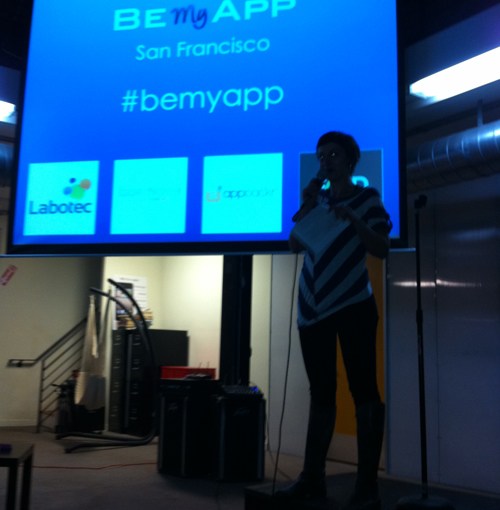
The BeMyApp Competition was held at pariSoma’s new building, an innovation “hotspot” and office space in San Francisco. There, a group of innovators, developers, marketers and entrepreneurs got together to try and create an iPhone application that would change the world in forty-eight hours.

People who registered as innovators submitted their ideas on the BeMyApp site,
and a select group presented at the pariSoma building to the rest of the attendees. After the innovators presented their strictly monitored (only one minute!) pitches, the attendees voted on their favorite idea. To cast a vote, each attendee used poker chips as tokens to represent one vote towards an idea. Innovators with the most chips made it to the next round.

Forty-eight hours later, I returned to judge the submissions. I found the new team members, fully integrated with one another, preparing for the presentation. They were laughing, backing one another up and finalizing their demos for the judging. It was great seeing how quickly the camaraderie developed around the common objective of innovating through apps. It was even more surprising to see how dedicated they were to that objective as a single unit in such a short amount of time. The time was finally here: the five finalists presented their demos and a short summaries of their business objectives.

Next, the other judges and I deliberated backstage to pick the winner. It was tough to essentially choose “losers” in a group of teams that did more in a weekend than many large companies could do in a month, but we made the decision.

In the end, the decision went to a two-person team, a vast difference to the more common three- to five-person teams at the event. Their product, “FilmMe,” allowed users to upload ten- to twenty-second clips that would automatically stitch together to form a single video. YouTube made uploading and distributing video easy, which allowed the common PC user to become a producer. FilmMe took video a step further, solving the complexity and time drain that comes with composing multiple video clips from many sources. The presentation of the concept without the demo left me a bit skeptical about its usefulness, but after seeing their demo I was surprised to discover how entertaining it was to watch a single stream of videos mashed together about “who was your first kiss?” To give an example, think about interviewing a few friends at a birthday party. With one click, FilmMe automatically updates and converts all the videos into a single video you can post to Facebook or YouTube to share. Simple concept? Yes. But a huge time and energy saver. Simply put, with FilmMe I would try my hand in compiling and sharing short clips from a night out. However, I will—and have—avoided at any cost the effort it would take to copy videos from my phone, request clips from friends, load them into iMovie and render them into a single movie just for the sake of sharing.

All in all, it was inspiring to be a part of the BeMyApp competition. It reminded me that losing red tape and doing away with corporate structure can allow for true innovation to occur and that forty-eight hours is all one needs to turn an idea into a working reality. All it takes is a few like-minded entrepreneurs to get together with a common purpose. I will certainly take what I saw at the event back to my company and encourage more adhoc, fun, innovative sessions like these for my team.


pariSoma’s New Digs

Reg Ex: Replace all tags except style and script tags

Took me a bit of hacking some regular expressions together using look aheads until I realized although it worked it’s not what I wanted after all….guess its late —

I figured I would post it to have it be at least worth a bit of SEO since i couldn’t google it myself…

Java String: “<(((/)|())(?!(/)|((script)|(style))).*?>)>*?”

The ol’ switcherooo

I realized todaythat with the advents of iPhone and Google voice free calling from my computer I now use my phone for computing and my computer for calling more then the other way around.

Maybe this is anoter indicaton that mobile is more about sponetaity and look ups where the computer is used as a momemt in time reserved for an action. I am walking and curious about the weater i am about to enter, check phone. I need to talk to my mom at 8 sit down and use skype or gchat for 30 mins….

Maybe ist just ironic, but it was a funny thing to notice today either way.

My greatest life lessons from Computer Science

I really appreciate  my education in Computer Science. The most valuable mental shift I gained was the understanding that there are no “hard problems.” To recognize that even extremely difficult problems were easily solved once you were able to deconstruct them into smaller more simple ones. Problem-solving is about figuring out how to simplify, dismantle, and rebuild toward solutions. Simplifying is all about getting good and asking the right questions.

For instance, playing the guitar is hard, playing chords with rhythm is easier, playing chords is even easier, playing a note is more easy – and so on and so forth.

Just breakdown what you want to accomplish and get great at each little piece of it. Then, get great at putting each individual piece together and your problem isn’t all that bad.


Thesis: AppMakr

So this is pretty cool. Your head is in the grinder day and night, in and out. Is it worth it? Does anyone care? And then you stumble upon some guy at Oxford writing a thesis about us. It’s small in some ways, but big in others. I mean someone we don’t know found out about us and was interested enough to write a thesis. I am not sure why, but it was a nice morning pick-me-up none the less.
http://fundable.co/2010/11/what-does-fundraising-look-like/

Hit the ground running

I love focused ideas that get one thing perfectly right and easy. Remembering URLs is getting easier and easier and more and more tools will be used per day on purpose and app like based on social discovery (I’ll explain more in other blogs). For now here are two sites that are hella useful. The second you go to the site it gives you a unique idea. Simply save the unique url and share it to collaborate with friends. Super simple:

Pirate Pad: Instant realtime collaboration document writer:  http://piratepad.net/ep/pad/newpad

Thingler: Instant todo list: http://thingler.com/